Dashboard Overview: GoDaddy Payments
From your Dashboard, you have access to all the tools you need to manage your business. View sales reporting, change your settings, manage your Point-of-Sale devices, create Online Pay Links and more.
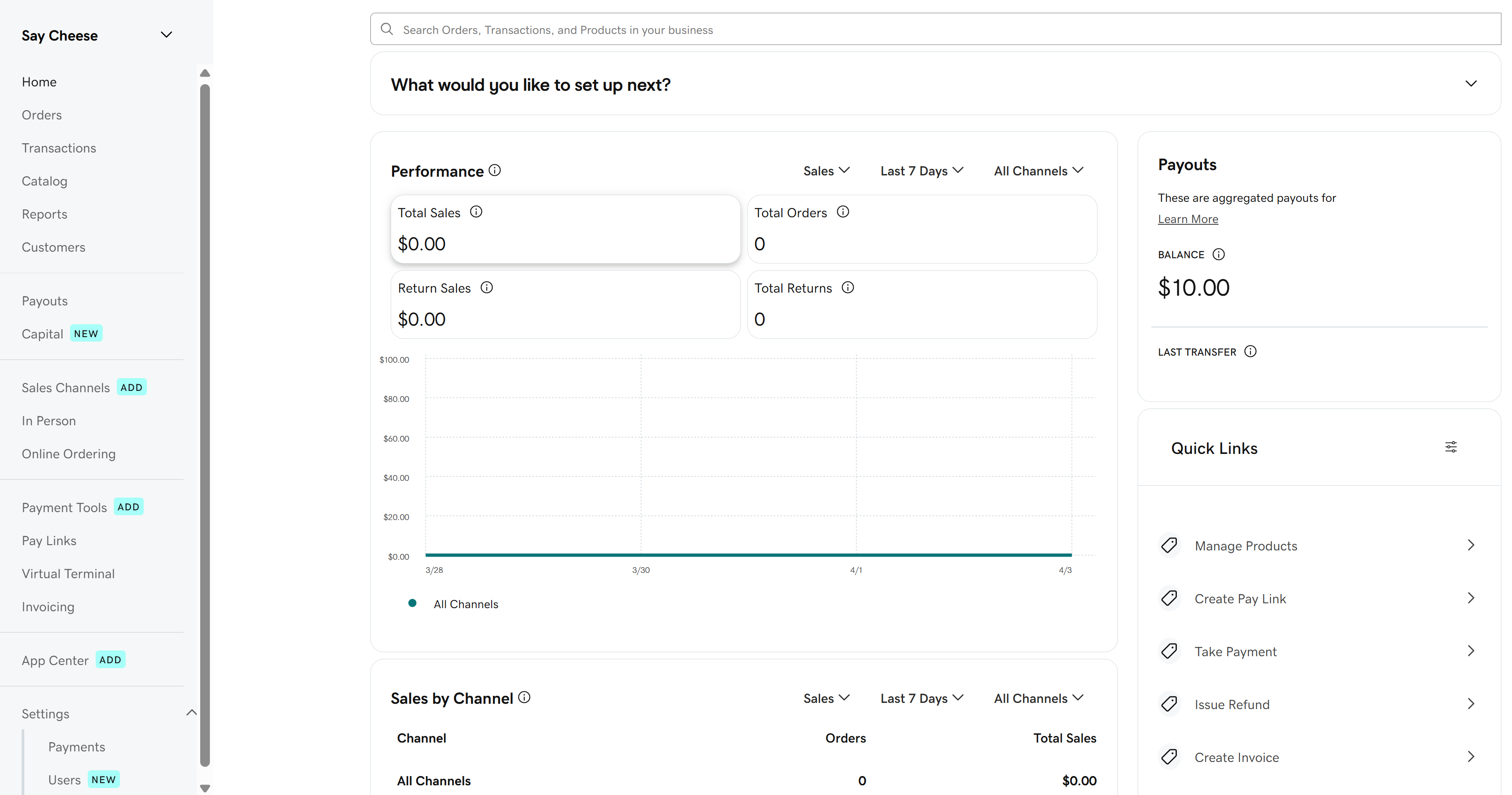
Here’s an overview of the tools available to you in your Dashboard, along with in-depth instructions if you want to learn more:
| Topic | Summary |
|---|---|
Home | Check out graphs and overviews of your business performance, including recent sales and transaction amounts. |
Orders | View all orders processed with GoDaddy Payments. This includes orders placed in-person or through an online store. |
Transactions | Review, search, and manage your existing transactions. |
Catalog | Import or add products to sell, and manage the discounts, taxes and fees you apply to products and orders. The product catalog is universal for GoDaddy Payments, Websites + Marketing and Managed Hosting for WooCommerce, so changes you make here automatically carry over to your online stores. |
Customers | Review customer profiles and transaction history and add new customers. |
Payouts | View a detailed breakdown of all your past and upcoming payouts. |
Capital | If you have a cash advance through GoDaddy Capital, check your balance and payment history, and arrange for early repayment. (Currently in limited release) |
Reports | Review a variety of reports to help you manage and organize your business. You have access to sales summaries, inventory tracking, transactions reports and more. |
Sales Channels | Review your current sales channels and connect new marketplaces, like Amazon or Etsy. |
Online Store | If you have a Websites + Marketing online store, here you can make changes directly to your website. You can adjust your store settings, payment methods, shipping methods, sales tax, and options for checkout and abandoned carts. |
In Person | View the order status for Point-of-Sale devices (like the GoDaddy Smart Terminal Duo or GoDaddy Poynt Card Reader). If you own a device, this is where you’ll manage device users and permissions, customize the Smart Terminal screens, adjust device names and set up your device sleep and sign-out settings. |
Online Ordering | Set up an Online Ordering channel to create a simple online ordering page for your in-person business. You can also customize basic settings for your page, like branding and store hours. (U.S. only; Point of Sale Plus plan required) |
Payment Tools | Order GoDaddy Payments POS devices, like the GoDaddy Smart Terminal Duo and GoDaddy Poynt Card Reader. You can also purchase compatible accessories and replacement receipt paper rolls. |
Pay Links | Accept payments from customers by creating and sharing a link with them – no website needed. Learn more about Online Pay Links, and how to create and share them. |
Virtual Terminal | Enter credit card info manually to accept payments from your computer or smartphone - no hardware or special software needed. |
Invoicing | Create and send recurring or one-time invoices that your customers use to submit payment online. You can also customize invoice branding, set up automated reminders and more. |
App Center | Subscribe to third-party apps for your GoDaddy Smart Terminal. There are lots of different types of apps to support your business, including accounting, time-clock tracking, gift card programs and apps geared to specific business types (like salons or restaurants). |
Settings | Review and change your GoDaddy Payments settings:
|
Loyalty | Activate and manage a customer loyalty program, to offer incentives and rewards for your repeat customers. (Currently in limited release) |
More info
- Set up GoDaddy Payments.
- Connect to my bank account to begin receiving payouts.
- View my transactions.